-
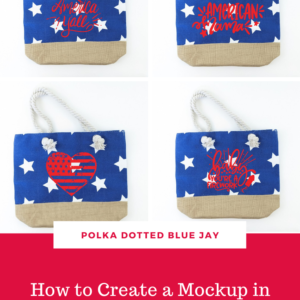
Silhouette Skills: How to Create a Mockup of Your Project in Silhouette Studio
Have you ever had a project idea but aren’t sure how the cut file will look on the blank? Had trouble figuring out what size to make your design? I am going to show you a quick trick for how to make a mockup of your project in Silhouette Studio. Supplies Needed: • Silhouette Studio (always recommend the Business Edition)…
-
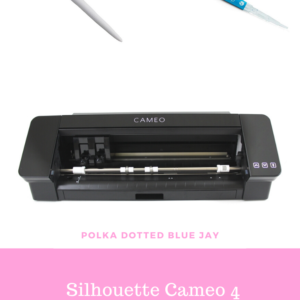
Silhouette Cameo 4 Must-Have Tools and Tips
There is so much to learn when you buy a Silhouette Cameo® 4. But have no fear, today I am sharing my Silhouette Cameo 4 must-have tools and tips to make sure you can start crafting as soon as you take your machine out of the box. First, you need your Silhouette Cameo® 4. It is regularly priced at $299…
-
God Bless America Onesie and Free SVG
There is just something I love about making red, white, and blue craft projects. It is probably because the Fourth of July has always been my favorite holiday. I created this God Bless America Knockout Method Onesie and I am sharing the free SVG with you and walking you through the steps so you can make a craft project with…
-
Little Sweetheart Onesie
This Little Sweetheart Onesie tutorial is a sponsored post written by me on behalf of Silhouette America®. All opinions are 100% mine. I love making baby onesies for friends with little babies. One of Jedidiah’s school mates has a baby sister and she is very often the recipient of my baby craft projects. I had a red onesie in my…
-
Silhouette Cameo 4 Unboxing
This Silhouette Cameo 4 unboxing is a sponsored post written by me on behalf of Silhouette America®. All opinions are 100% mine. Last year I followed the Silhouette Summit on social media and was so excited to see the unveiling of the new Cameo 4 during the event. It looks so great with the illuminated Silhouette logo and I love…